

Our pricing model, in plain English
- Service fee (10%) paid by the customer - funds the marketplace (app upkeep, support, fraud prevention, growth)
- Card processing (2.9%) - paid by the customer, covers card network fees
- Your payout = your list price
Example: If you list an e-bike for $100/day:
Customer pays:
- $100 (your price)
- $10 (10% service fee)
- $2.90 (2.9% card processing)
- Total: $112.90 (before taxes)
You receive: $100
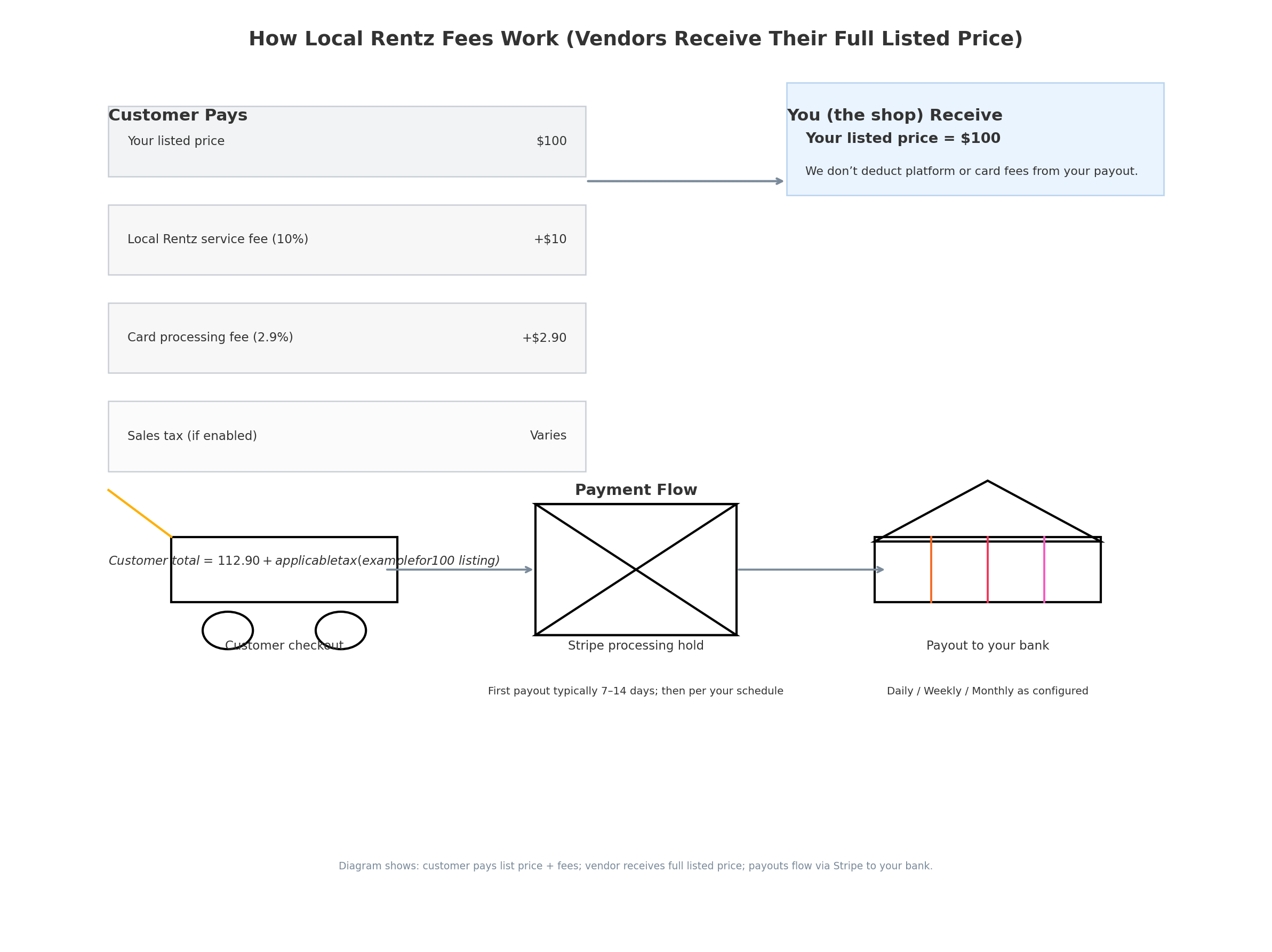
If you choose to collect sales tax, it’s added at checkout and routed to you (via Stripe) for filing/remittance. Local Rentz does not file taxes for you.
How payments and payouts flow (Stripe)
We use Stripe to process all payments because it’s secure, widely trusted, and gives you clean records.
- Customer pays at checkout (your price + fees + any tax you enable)
- Stripe holds funds briefly, then pays out to your bank on your schedule
- First payout: 2-3 days (verification window)
- Subsequent payouts: Follow your schedule (daily/weekly/monthly)
- Export reports anytime (payments, payouts, balance history) as CSVs
- Automate bookkeeping by connecting Stripe with QuickBooks Online
Taxes (the short version)
- We’re not accountants - you’re responsible for tax obligations
- Stripe Tax (optional) can calculate/add taxes at checkout and generate reports

Vendor FAQ: money & taxes
1) When do I get paid?
New accounts: 7–14 days after first charge. Then follows your schedule (banks take 1–3 business days).
2) Who sets my payout schedule?
You control it in Stripe (daily/weekly/monthly or manual).
3) Can I see detailed logs/exports?
Yes—export from Stripe Dashboard or use QuickBooks connectors.
4) Will Local Rentz take a cut of my price?
No. Your payout equals your listed price.
5) How are taxes handled?
You decide. Stripe Tax (optional) calculates/adds taxes for you to file.
6) What if a customer disputes a charge?
Stripe reverses funds during dispute. You can upload evidence to fight it.
7) Can I connect to QuickBooks?
Yes—use connectors like Acodei, Commerce Sync, or Zapier.
Why we pass fees to the customer
- Your margins stay clean - no surprise platform deductions
- Pricing stays transparent - customers see platform costs clearly
What this means for your shop
- List confidently knowing your payout equals your price
- Turn on Stripe Tax if you need automatic tax calculations
- Expect first payout in ~7–14 days, then regular cadence
- Keep evidence (photos, signed terms) to win disputes
Final word
Local Rentz grows when your rentals grow. We keep payouts simple and predictable. For unique scenarios, we’ll help configure Stripe properly.

Ready to list? [Sign up on Local Rentz] - we’ll walk you through setup.